Step 1 of 2
Top up your SMS credits
Enter your school's SMS code to see your balance and choose a bundle.
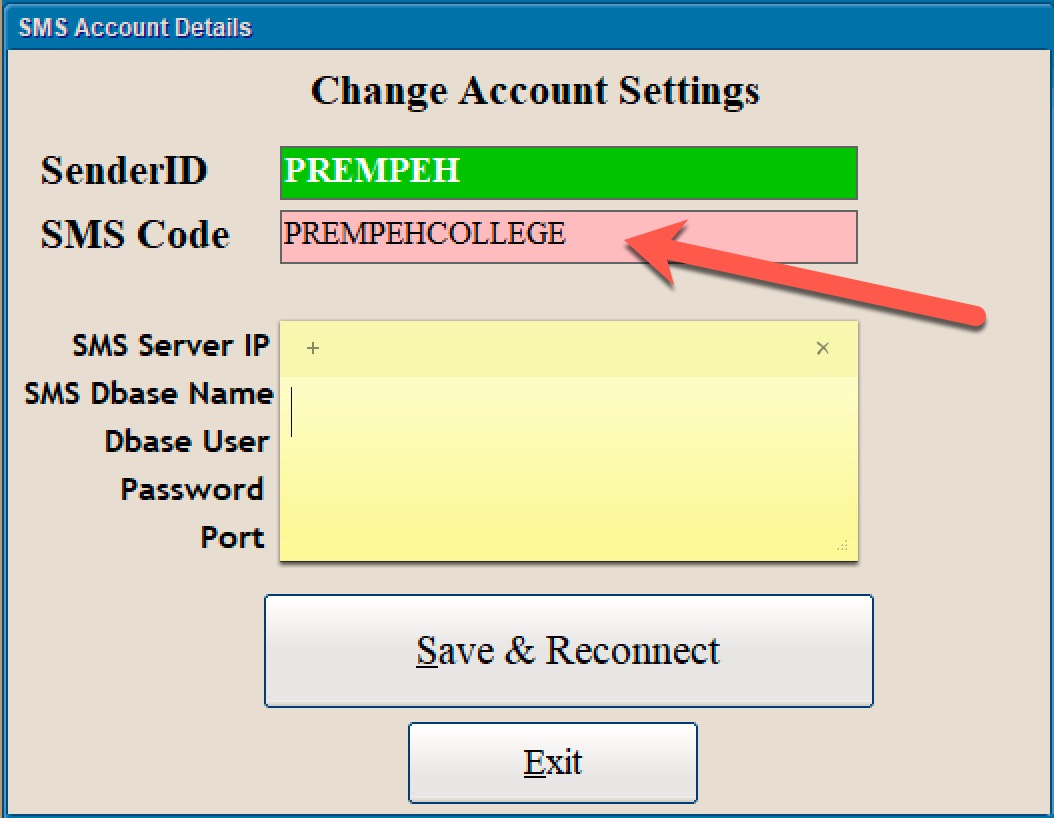
Where to find your SMS code
Open your Saprosoft school system and go to Account Settings. The code is shown there.
Step 1 of 2
Enter your school's SMS code to see your balance and choose a bundle.
Open your Saprosoft school system and go to Account Settings. The code is shown there.
